Display & Menu
The UPS has a 64 × 32 monochrome OLED and two red buttons, one on each side of the display. On power-up it plays a short melody and shows a splash screen for a few seconds while readings stabilize, then lands on the Home screen.
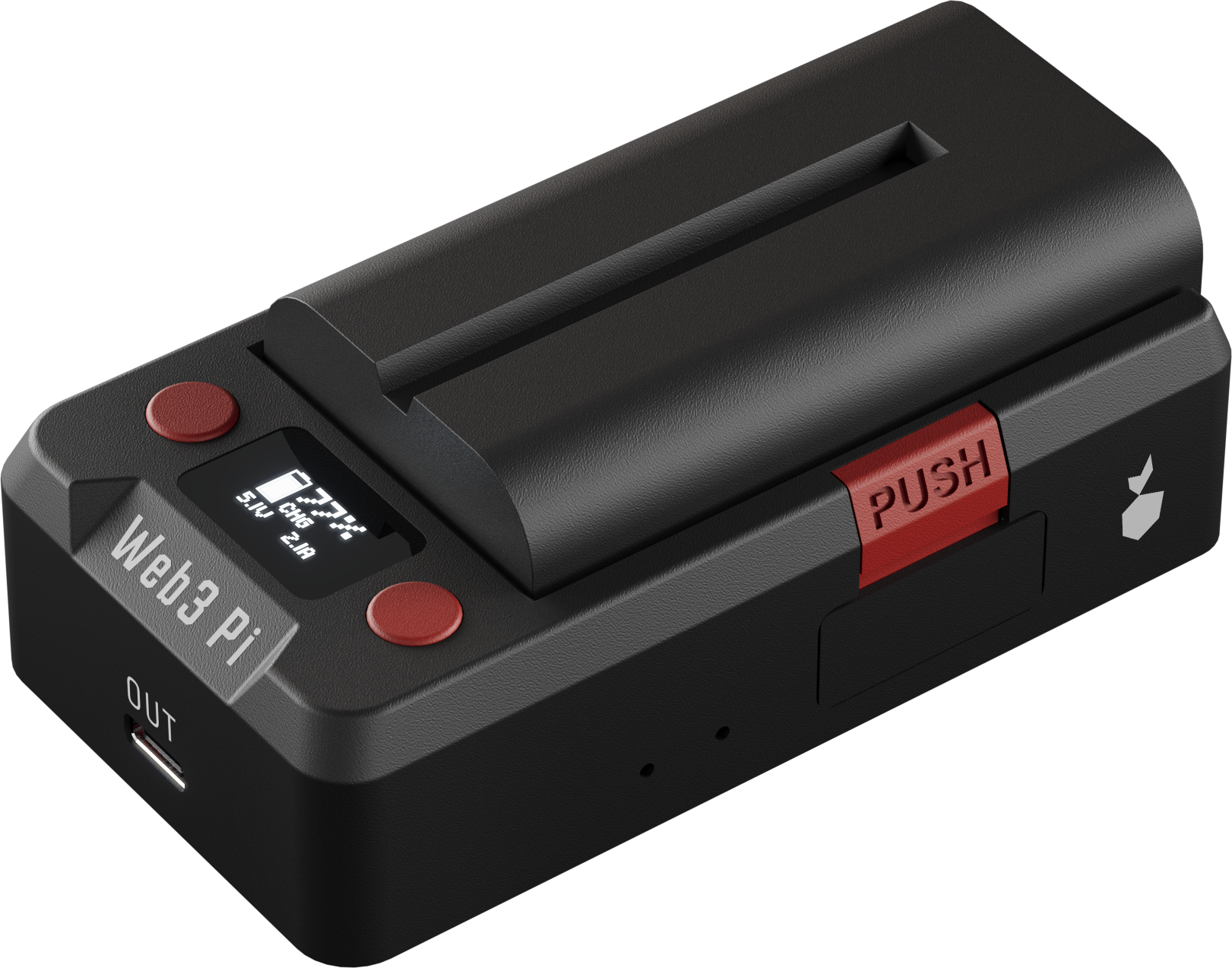
Status Screens
The Home screen is the main display: a battery icon (fill = charge level, animates while charging), charge %, mode label, battery voltage, plus input and output voltage.
Mode labels: DSC discharging (on battery) · PRE pre-charge · CHG charging · FUL full · IDL on external power, not charging.
Detail Screens
Four detail screens sit next to Home, cycled with short button presses; a small position strip in the bottom-right corner shows where you are, and the display returns to Home automatically after 20 s without a button press.
| Screen | Shows |
|---|---|
| INPUT | Input voltage, negotiated USB-C PD contract and its wattage, active source (USB-C / barrel / off) |
| OUTPUT | Measured output voltage, the PD contract offered to the Pi, current limit |
| BATTERY | Battery voltage and charge %, mode label, charge current |
| SYSTEM | Uptime, board and charger temperatures, fault code |
Warning screens
Three warnings can override the status screens:
- BAD PSU — the input supply is present but out of range: a flashing warning with alarm beeps until you connect an adequate charger.
- MODEM — the LTE-M module cannot get online (shows a short reason such as
SIM ERRORorNO NETWORK, with a reminder beep every 10 s). Any button press dismisses it; it clears itself once the module reconnects. See Troubleshooting. - NO UPS / pwr data lost — the display controller lost internal telemetry for more than ~5 s (reminder beep every 30 s). The UPS usually still powers the Pi, and the screen normally self-recovers within a minute.
Buttons
| Context | LEFT | RIGHT |
|---|---|---|
| Home / detail screens | Short press: previous detail screen. Hold 2 s on Home: open the menu | Short press: next detail screen |
| Menu | Move cursor down (wraps) / toggle the highlighted option | Select / activate |
| MODEM warning | Any button: dismiss the warning | |
| Confirmation prompts (device claiming) | Hold both buttons for the on-screen countdown to confirm; release to abort |
Every press gives a short click from the buzzer (unless sound is off).
Local Menu
Hold LEFT for 2 s on the Home screen. Navigate with LEFT (down) and RIGHT (select); the menu closes itself after 60 s of inactivity, saving any pending change.
| Entry | What it does |
|---|---|
| Bright | Display brightness, 6 levels with live preview — RIGHT cycles, LEFT saves and returns |
| Sound | Toggles the buzzer ON/OFF with RIGHT, saved immediately |
| Info | Read-only: uptime and board/charger temperatures; any button returns |
| Output | Shows the output state; Turn OFF asks for confirmation (CUT PWR TO PI?) before cutting power to the Pi, Turn ON is immediate |
| Network | Opens the connectivity menu of the optional LTE-M module — a shortcut to the detail screens (Debug), backend mode selection (Mode), HTTP Key, factory reset (Reset), device Wallet, and Back. See Connectivity. Without the module fitted it shows a brief NO MODEM notice |
| Exit | Closes the menu |
Bright and Sound persist across power cycles and battery swaps. A factory reset (in the Network menu) restores both to defaults.
Sound OFF mutes everything
Turning Sound off silences all audio, including the power-loss and low-battery alarms — not just button clicks.