Arkiv Mode
Arkiv mode is an alternative telemetry backend for units fitted with the LTE-M module. Instead of the Web3 Pi cloud, the UPS writes encrypted telemetry to the Web3 Pi UPS Chain — a self-hosted, Arkiv-compatible network run by Web3 Pi — creating a tamper-evident record of your device's power history. Ownership is bound to your crypto wallet, and only that wallet can decrypt the data — the panel server never holds the key.
MQTT is the recommended default
Arkiv mode is a niche option for audit and compliance use cases — it adds wallet management. For day-to-day monitoring, stay in MQTT mode and use the web panel.
The device has its own on-chain wallet that signs every write, and it is the final authority on ownership: binding to your wallet must be physically confirmed on the UPS itself.
Enabling Arkiv Mode
- On the Home screen, hold LEFT for 2 s to open the menu, then select Network (see Display & Menu).
- Choose Mode, then ARKIV.
- The setting is saved and the LTE-M module reboots. Telemetry drops out for about 30 seconds; power to the Pi and battery backup are unaffected.
The mode persists across reboots, and the panel moves the device to its Arkiv Devices list automatically.
Claiming Your Device
An unclaimed device in Arkiv mode shows its ICCID and a 4-word claim code on the OLED. The code rotates every 15 minutes, so use the one currently displayed.
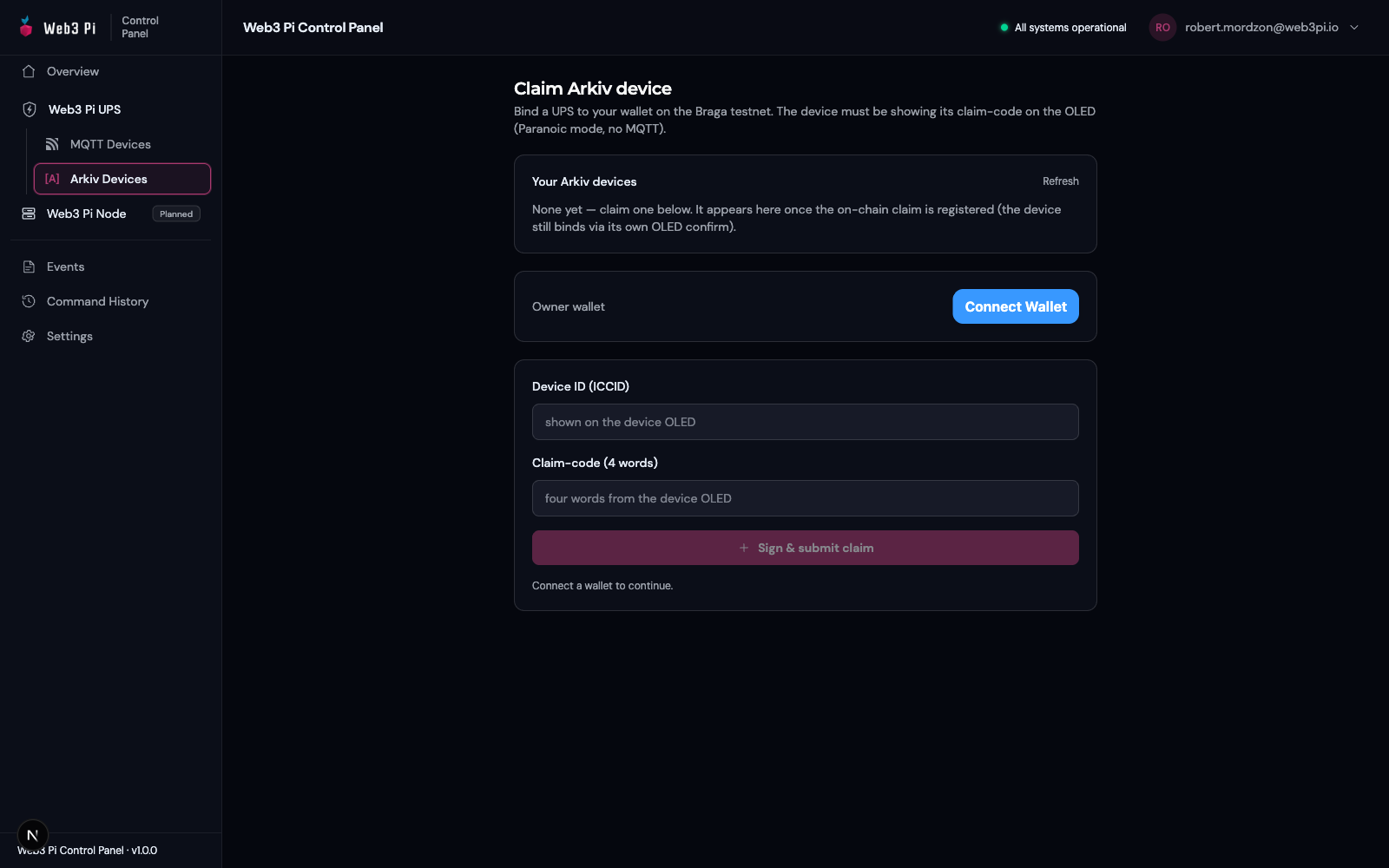
- In the panel, open Arkiv Devices → claim page and Connect Wallet.
- Enter the ICCID and the four claim-code words, then click Sign & submit claim. Your wallet prompts for two signatures; the panel tops your wallet up with the chain's (valueless) gas token automatically when you connect, so the claim costs you nothing.
- The device verifies the claim and displays a 4-word owner fingerprint with a short checksum; the panel shows the identical string.
- Compare every word, in order. If they match, hold both buttons on the UPS for 5 seconds to confirm the binding.
The binding survives reboots; a factory reset (menu → Network → Reset) clears it.
The Device Wallet
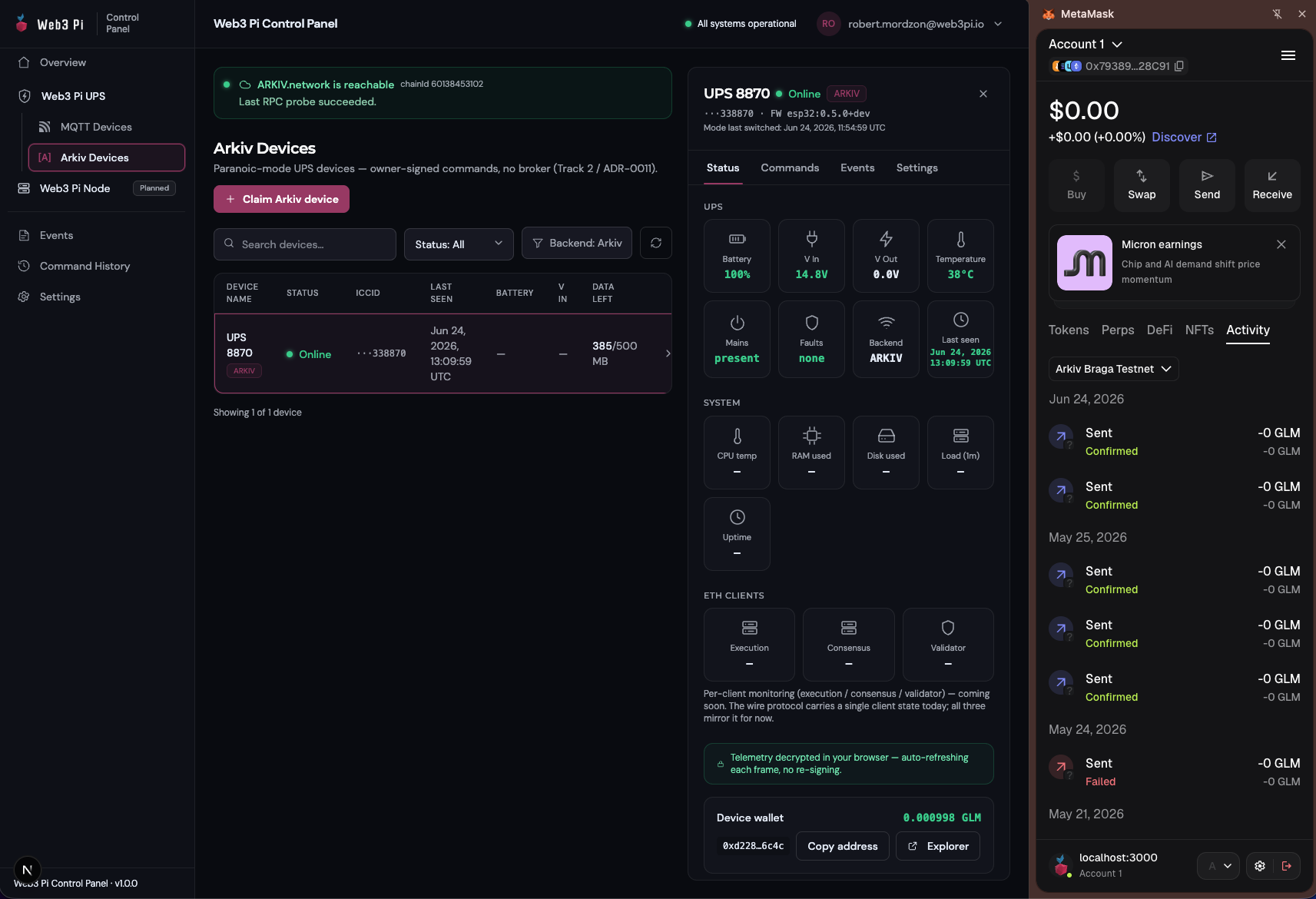
- Wallet → Address shows the device's address (alternating with a QR code); Wallet → Balance shows its current gas balance in W3P, the Web3 Pi UPS Chain's anti-spam gas token with no monetary value (firmware before esp32:0.8.11 labelled it "GLM"). The reading no longer depends on telemetry getting through: an unfunded wallet shows
0.000000with ano gashint, and the screen refreshes within a few seconds of opening it. - During normal operation the panel keeps both your wallet and the device wallet topped up automatically and warns if a balance runs low. One exception: after a factory reset the regenerated device wallet cannot announce itself until it holds gas, so its first top-up is manual — send a little W3P to the address shown under Wallet → Address (or ask Web3 Pi), then telemetry resumes on its own.
- Wallet → Regen generates a new device wallet, invalidating the existing identity and claim — only use it if you intend to re-claim the device. Right after a Regen or factory reset, telemetry may pause until the panel learns the new wallet address and funds it.
What Works and Current Limitations
| Works today | Limitations |
|---|---|
| Encrypted telemetry every 30 s; decrypt in the panel via Unlock telemetry (one signature per session) | The chain is self-hosted by Web3 Pi (single RPC gateway) — tamper-evident, but availability depends on Web3 Pi infrastructure; it is not a public blockchain |
| Remote commands from the panel — same command set as MQTT, one wallet signature each | A command can linger as submitted on-chain instead of confirmed by device if the device cannot post its acknowledgement (e.g. right after a factory reset, before its wallet is re-funded) |
| Remote firmware updates — same as MQTT mode, owner-signed like every command | Telemetry may pause briefly after a wallet Regen or factory reset, until the panel learns and funds the new device wallet |
| Owner-only privacy — nobody without your wallet can read the data | You need the owner wallet connected to view any telemetry |
Prefer running against your own infrastructure instead? See HTTP mode.