Battery
The Web3 Pi UPS uses Sony NP-F series batteries — 7.2 V Li-Ion camera packs that are cheap, widely available, and user-replaceable. The pack slides onto a standard NP-F rail on top of the unit.
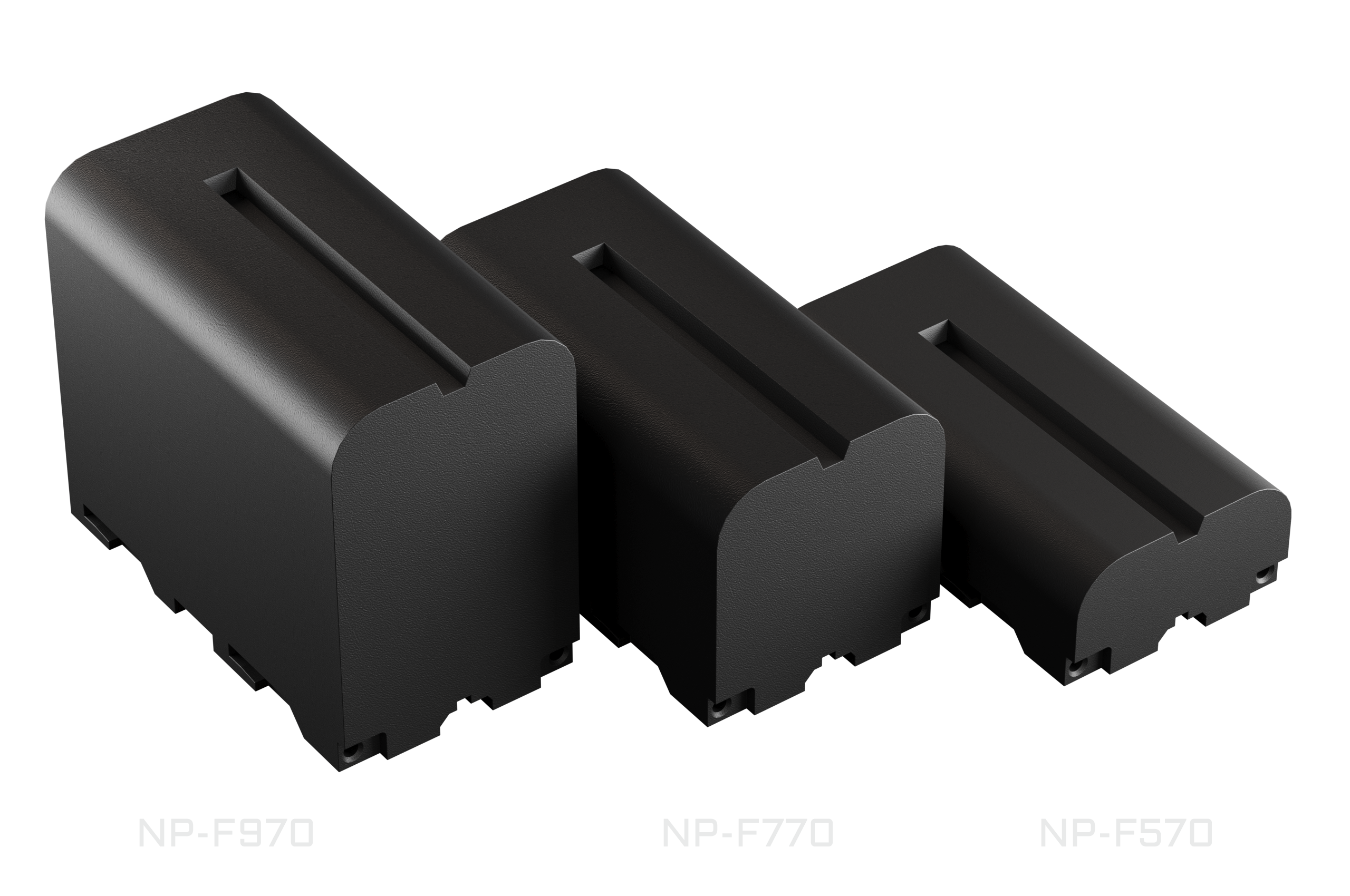
Supported Models
| Model | Capacity | Runtime |
|---|---|---|
| NP-F570 | 2600 mAh (18.7 Wh) | Shortest — most compact |
| NP-F770 | 5200 mAh (38.5 Wh) | Mid-range |
| NP-F970 | 9600 mAh (71 Wh) | Longest |
Runtime depends on your Raspberry Pi's workload; other NP-F-compatible packs also fit. Capacities above are for the recommended Newell packs — see Specifications for links.
Use packs with internal protection
The UPS relies on the battery's own built-in protection circuit (BMS) for cell-level and deep-discharge protection. Use quality NP-F packs that include one — virtually all genuine and reputable third-party packs do.
Inserting and Removing
- Insert: set the battery on the top rail offset by about half its length — NP-F packs engage the rail from roughly their midpoint — then slide it on until the red PUSH latch clicks.
- Remove: press the red PUSH latch on the side edge and slide the battery off the rail.
Hot-Swap
The battery can be swapped while external power is present (USB-C IN or the barrel jack) — the output to the Pi stays up the whole time.
Check before you pull
Before swapping, confirm the unit is not running on battery: the Home screen mode should read anything other than DSC (discharging). Removing the battery while it is the only power source cuts power to the Pi.
Charging
Charging is fully automatic — there is nothing to configure:
- Whenever external power is present and the pack is below full, the UPS charges it.
- Charging is deliberately gentle: a modest charge current and a ~8.1 V "gentle full" target (below the pack's maximum) extend battery lifespan.
- When the pack is full, charging stops: the mode label shows
FUL, thenIDL. On external power the Pi is always fed from the input, so a full pack simply rests — and takes over seamlessly if the input fails. - When power returns after an outage, charging resumes on its own.
Reading Charge State on the OLED
The Home screen shows a battery icon (fill level = charge, scrolling bars while charging, blinking below 10 % on battery), the charge percentage, and a mode label. The BATTERY detail screen adds battery voltage and charge current.
| Label | Meaning |
|---|---|
DSC |
Discharging — running on battery |
PRE |
Pre-charge (deeply discharged pack) |
CHG |
Charging |
FUL |
Full |
IDL |
On external power, not charging |
On battery, the buzzer beeps once every 30 s below 20 % charge and twice every 5 s below 10 % (unless the buzzer is muted via menu → Sound — see Display & Menu); the companion service can shut the Pi down safely before the battery runs out — see Host Integration.
Note
The charge percentage is estimated from battery voltage and can read optimistically while charging.
See Display & Menu for the full screen reference and Power for failover and charging behavior in detail.