Hardware Tour
The Web3 Pi UPS is a compact, silent DC UPS that sits between your charger and the Raspberry Pi 5. Everything you touch day to day — display, buttons, battery — is on the top and front of the unit; power inputs are on the rear.
Front and Top
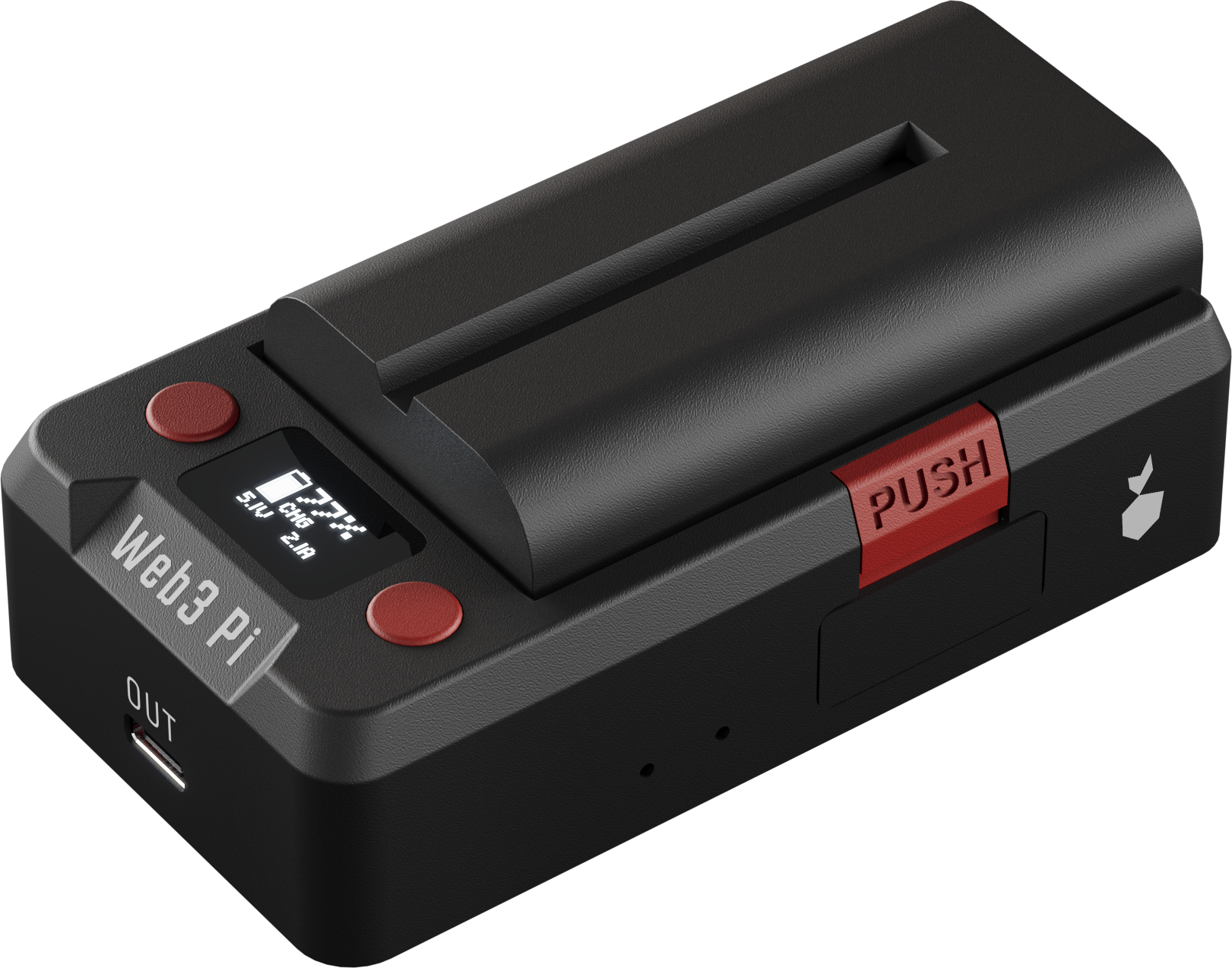
Front view: OLED with its two red buttons, the OUT port below the Web3 Pi logo, the battery on its top rail, and the red PUSH latch on the side.
- OLED display — a small monochrome screen behind a smoked window, showing charge level, power mode, and input/output voltages. See Display & Menu for every screen.
- Two buttons — the round red buttons flanking the display. Short presses cycle through the status screens; holding the LEFT button for 2 s on the Home screen opens the settings menu (details).
- USB-C OUT — on the front face, labeled OUT. A single cable to the Pi carries both power and USB data.
- Battery latch — the red PUSH tab on the side edge. Press it and slide the battery off its rail; the battery is hot-swappable while the UPS runs on external power.
Rear
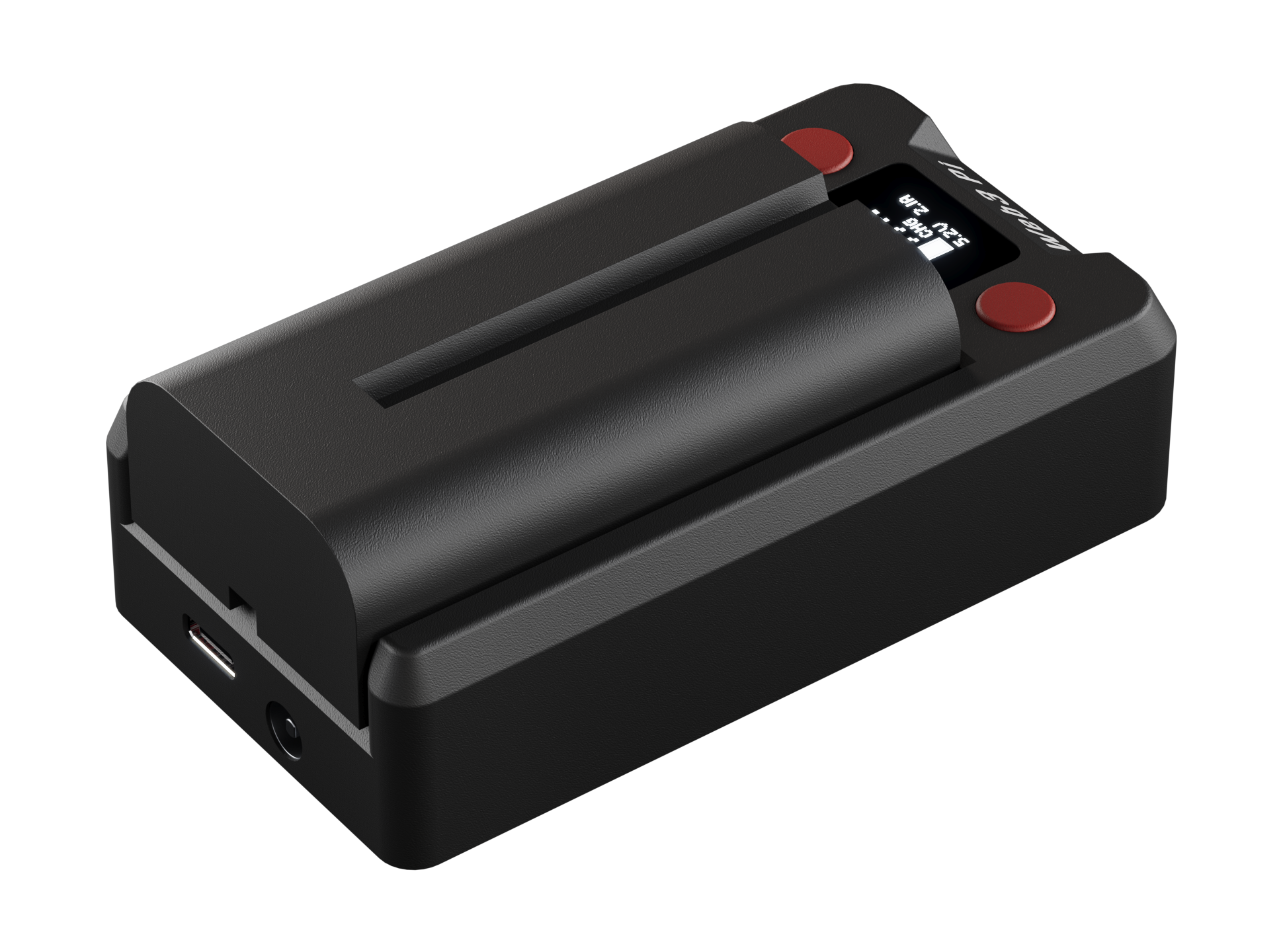
Rear inputs: USB-C IN with the DC barrel jack next to it.
- USB-C IN — USB-C Power Delivery input, 9–20 V auto-negotiated. The primary way to power the UPS, e.g. from a 45 W USB-C charger.
- DC jack — alternative DC input, 12–20 V (5.5/2.5 mm barrel), for desktop supplies or other DC sources.
Both inputs can be connected at the same time: the UPS draws from whichever presents the higher voltage, and if that source fails it switches to the other seamlessly. As long as at least one cable input is powered, you can also hot-swap the battery without interrupting the Pi. The output stays up while any one of the three power sources — USB-C IN, DC jack, or battery — is available; see Power & Failover.
Ports at a Glance
| Port | Location | Purpose |
|---|---|---|
| USB-C OUT | Front | Output to the Pi 5: 5 V / 5 A power plus USB data (telemetry, safe shutdown) on one cable |
| USB-C IN | Rear | USB-C PD input, 9–20 V (auto-negotiated); 26 W minimum, 45–65 W recommended |
| DC jack | Rear | Alternative DC input, 12–20 V (5.5/2.5 mm barrel) |
| Battery rail | Top | Sony NP-F battery — user-replaceable, see Battery |
OUT is output-only
Never feed power into the OUT port. Connect chargers only to IN or the DC jack.
Buzzer
An internal buzzer gives audible feedback: button clicks, a short startup melody, a power-loss alarm when the unit switches to battery, low/critical battery warnings, and a bad-power-supply alert (rapid beeping — see Troubleshooting). All sounds — alarms included — can be muted from the settings menu.
Status LEDs
There are no external status LEDs. The OLED display and buzzer provide all user feedback.
Inside
The enclosure houses two boards: the main power board and the display/button panel. An internal M.2 slot accepts the optional LTE-M module for out-of-band connectivity — no disassembly is needed for normal use.